The first hour of any cleaning program is spent on one question. What is a building, and what is a room? Teams that answer it casually end up with a spreadsheet of 60 rows called “Washroom” and no way to tell which one was missed on Tuesday.
TidyTrack uses two words for this: sites and areas. This post explains what each one means, how to decide where the line falls in your own buildings, and the naming habits that keep your records useful a year from now.
Ten seconds: a site, the areas inside it, and a QR code in each area.
A site is a building or address
A site is one physical location you clean. An office, a clinic, a store, a condo tower, a client’s premises. If it has its own street address, it is almost always its own site.
Sites are the level where you answer management questions. Which supervisor looks after this location? When does a shift start here? How did this building score on its last inspection? Which clients get a report?
An area is a room or spot inside a site
An area is the place where cleaning actually happens: a washroom block, a kitchen, a lobby, an exam room. It is the smallest unit that gets cleaned on its own terms.
That is why the area is where the work details live. Each area has its own checklist, its own cleaning schedule, its own QR code and its own history of who cleaned it and when.
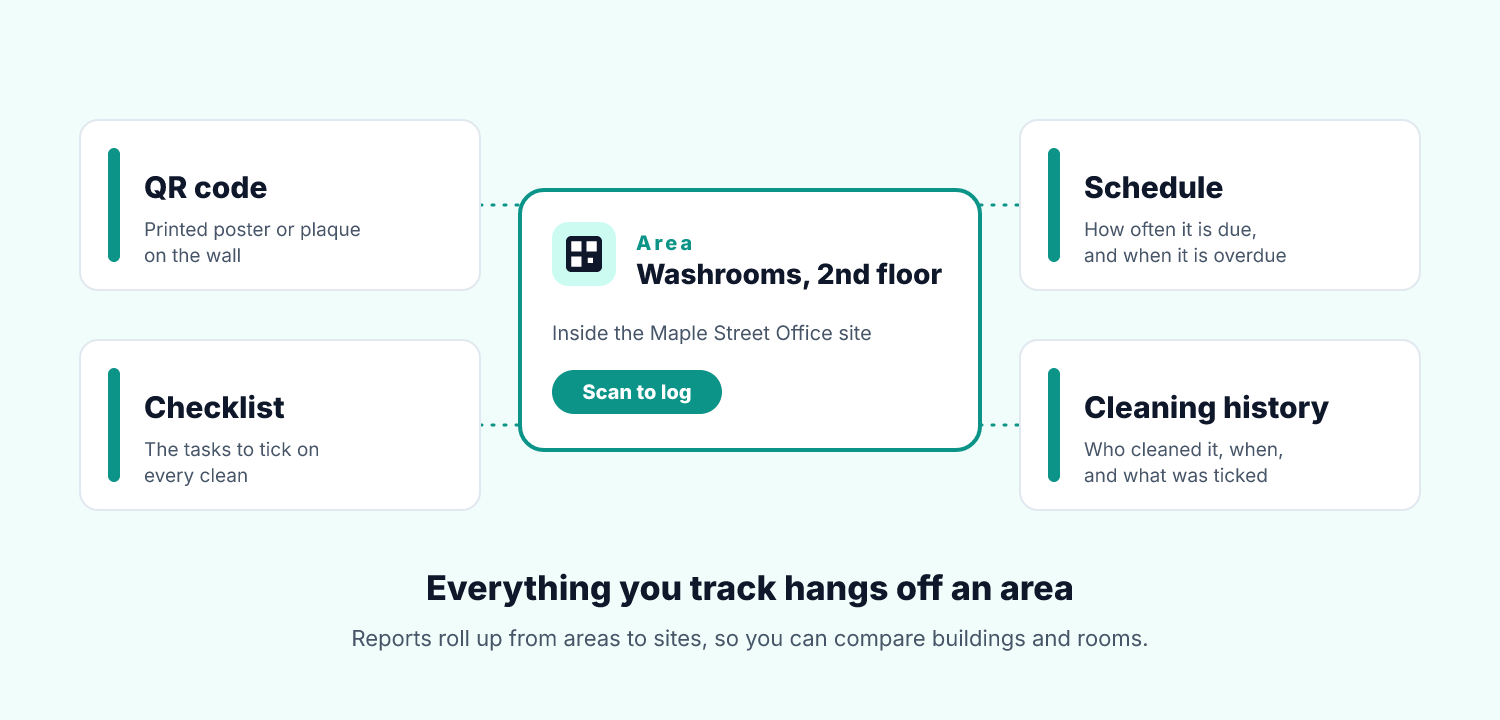
Everything you track for a room hangs off its area.
How they fit together
Your workspace holds your sites. Each site holds its areas. An area belongs to one site, so a question about a single room goes to the area, and a question about a building goes to the site.
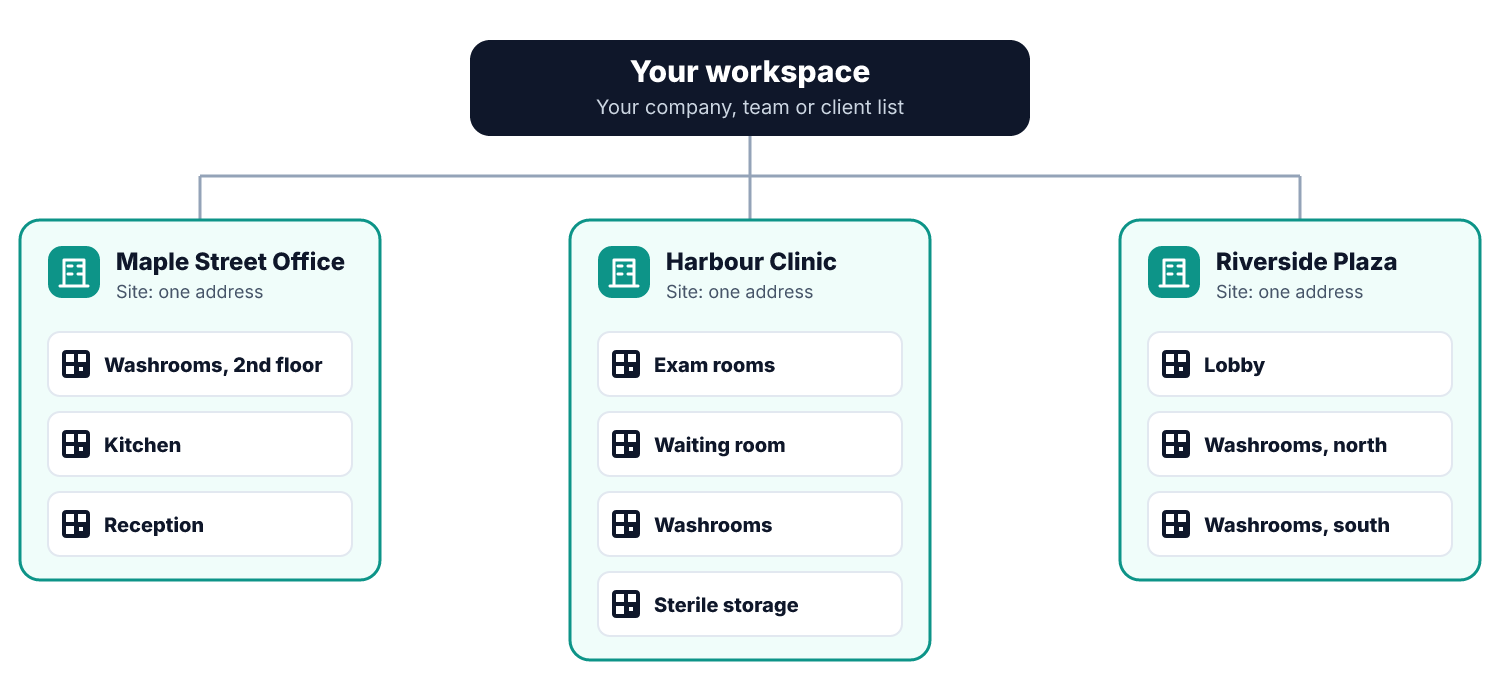
One workspace, three sites, a QR code in every area.
Where to draw the line
Use two tests.
The address test. A different address is a different site. Two offices on one campus that share a street address and one facilities team can reasonably be one site. Two clinics across town cannot.
The checklist test. If a space gets its own checklist, its own schedule or its own QR code, it is an area. If two washrooms are always cleaned in one pass by the same person, one area is enough. If they are cleaned at different times, make them two.
Here is how that plays out for common setups:
| If you are | Sites | Areas |
|---|---|---|
| One office or store | One site | Washrooms, kitchen, reception, meeting rooms |
| A clinic or hotel | One site per building | Exam rooms, lobby, washroom blocks, guest room floors |
| A property manager | One site per building | Lobby, common washrooms, gym, garbage room |
| A cleaning business | One site per client location | The rooms in your contract scope |
Name things the way cleaners say them
Names show up on posters, in alerts and in reports, so they need to make sense to the person standing in the hallway.
- Write “Washrooms, 2nd floor”, not “B2-W3”. A code means nothing to a visitor or a new cleaner.
- Add the floor or wing whenever a name repeats, so two lobbies never look alike.
- Name sites by building or street. Add the client name if you clean for several.
- Keep to one checklist per kind of room. Washrooms, kitchens and offices need different tasks.
Start small, then add rooms
You do not have to map the whole building on day one. Set up one area, such as the main washroom, print its QR code and log a real clean. Once the routine works, add the rest. The quick start in TidyTrack does exactly this: it creates one area with a checklist and shows a code on screen you can scan with your phone.
When you are ready for the full building, the guided setup takes you through the sites and rooms, suggests a checklist for each kind of room and sets how often it should be cleaned.
Keep reading
The sites and areas guide covers the same ideas as a reference page, including plan limits and common questions. If you are about to print codes for the first time, read professional QR code signage before you buy a roll of tape.